Categorieën
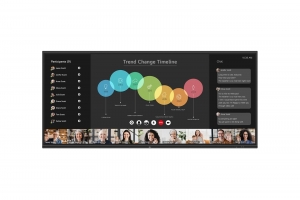
LG - LG 105TR5WP-B interactief whiteboard 2,67 m (105") 5120 x 2160 Pixels Touchscreen Zwart
| Productinformatie | |
| Categorie | Interactieve whiteboards |
| Voorraad | 0 |
| Levertijdsindicatie | Neem contact op met afdeling sales |
| Artikelnummer | 105TR5WP-B |
| EAN/UPC | 0195174110751 |
| Documentatie |
| Generated PDF |
| Beschrijving |
|
LG 105TR5WP-B. Beeldschermdiagonaal: 2,67 m (105"), Helderheid: 400 cd/m², Resolutie: 5120 x 2160 Pixels. Processor architectuur: ARM Cortex A76 + ARM Cortex A55, RAM-capaciteit: 8 GB, Grafische adapter-familie: ARM. Vermogen luidsprekers: 36 W. Wifi-standaard: Wi-Fi 6E (802.11ax), Wi-Fi-standaarden: Wi-Fi 6E (802.11ax), Ethernet LAN, data-overdrachtsnelheden: 1000 Mbit/s. USB-connectortype: USB Type-A, USB Type-C
21:9 Extended Wide Format With support for a 21:9 widescreen aspect ratio, the TR5WP provides an immersive viewing experience with a wider screen than a 16:9 display. This screen specialization helps display 21:9 content, including widescreen videoconferencing platforms, with natural details. Tools for Fluid Discussion A variety of tools such as a calculator, clock, and sticky note are available to facilitate smooth discussions and ensure seamless idea sharing and communication. Also, users can personalize the menu bar with their most frequently used tools, thereby improving their work efficiency. Web Browser When you need a reference during a discussion, you can access various online information in real time with the simple click of a web browser. The necessary information found on the internet can be easily dragged and dropped into the material you’re creating, enhancing the productivity of your meetings. Multi-OS Support LG CreateBoard Lab offers multi-OS support, allowing users to utilize it not only with LG CreateBoard but also with other devices. This enables users to maintain a seamless experience on tablets, laptops, and various other devices, even outside the classroom. LG CreateBoard Share LG CreateBoard Share offers a wireless screen sharing feature, providing users with a flexible discussion environment. Users can share their screen from their own PC, tablet, or smartphone, simplifying the process of sharing and collaborating on team projects or presentation materials. Wireless ScreenShare Feature for Seamless Sharing Environment LG CreateBoard Share establishes a seamless and stable meeting room without the need for extra cables or connections. Presenters can now share their screens without the need to inconveniently move around and unplug and plug cables each time the presenter changes. With the capability to share up to 9 screens in real-time, it’s possible to display multiple people’s materials simultaneously when needed, thereby enhancing the efficiency of collaboration. Simple Connection to LG CreateBoard Share Users can easily utilize the wireless screen sharing feature via LG CreateBoard Share app, and even without the app, they can still conveniently access this feature through the website. A quick connection to LG CreateBoard Share can be established by entering a 6-digit code. LG ConnectedCare LG ConnectedCare is a cloud solution for remotely monitoring, controlling, and managing the status of LG CreateBoard and LG signage displays. This feature enables IT managers to operate and manage important resources on operating devices without physically visiting sites. Dashboard The LG ConnectedCare dashboard allows you to view and monitor multiple devices at the same time, thereby saving time and boosting efficiency. Remote-control The LG ConnectedCare enables centralized and simple control of digital signage connected to the system. Frequently used functions such as power on/off, scheduling and screen brightness adjustment can be applied remotely. Broadcasting Messages and a range of other content can be sent from the main system to individual devices connected to LG ConnectedCare. Company events or announcements can be broadcasted remotely from the main system at once. Multi-screen Mode LG CreateBoard supports a multi-screen mode, allowing users to utilize multiple screens simultaneously. Users can take notes, play videos, and browse the web at the same time, thereby enhancing work efficiency. C-type Connection USB-C connectivity simplifies connections which enables charging and sending data simultaneously over just one single cable. Bluetooth Connectivity LG CreateBoard supports wireless Bluetooth connections to various devices such as a speaker, mouse, keyboard, etc. This is optimal for building a hybrid environment so that online and offline classes can proceed smoothly. Built-in OPS Slot LG CreateBoard supports OPS slots, allowing users to conveniently mount OPS Module at the back of the screen without the hassle of connecting to an external desktop. This enables various PC functions and Windows software. Front Connectivity Design LG CreateBoard is designed with front display ports, making it easy for users to connect or disconnect cables. Additionally, its frontfacing speakers facilitate content delivery with improved sound quality. Built-in Speakers and Microphones The LG CreateBoard comes with integrated speakers and microphones, providing an ideal setup for video conferencing. With its highquality built-in speakers that deliver rich, clear sound, along with an advanced microphone array, you probably won't need extra audio equipments or microphones. |
Intuitive touchscreen technology lets you control your PC right from the screen. And the vibrant 1980 x 1200 resolution delivers 2 million pixels for crystal-clear visuals

Vibrant detail from practically any position with consistent color and image clarity maintained across an ultra-wide 178° horizontal and vertical viewing angles.

Bluetooth is een open standaard voor draadloze verbindingen tussen apparaten op korte afstand. Dankzij Bluetooth kunnen bijvoorbeeld adresgegevens tussen mobiele telefoons worden uitgewisseld, kan snel vanaf een handheld computer worden geprint, of kan een mobiele telefoon worden uitgerust met een draadloze headset.

No need to buy external speakers for great audio. With integrated speakers this display is ready to go once you’re connected.

The display is equipped with standard VESA mounting for showcasing on a wall or swivel arm.

Convenience in the palm of your hand with a remote control that makes controlling your display easier than ever.


